NewsFlash Download NewsFlash
Coming in 2.0 Widgets, Shortcuts, Spotlight and more

An RSS reader for the sources you choose.

Follow RSS, Atom and JSON feeds in one calm list. Save and tag stories, filter out topics you’re done with, and stay in sync on iPhone and iPad.

Download on the App Store
Price
Free
Included
Every feature
Tips
Optional

No subscription, no ads. Version 2.0 arrives as a free update, and tips stay optional. How pricing works

No accountNo adsNo trackingiOS 18.6+
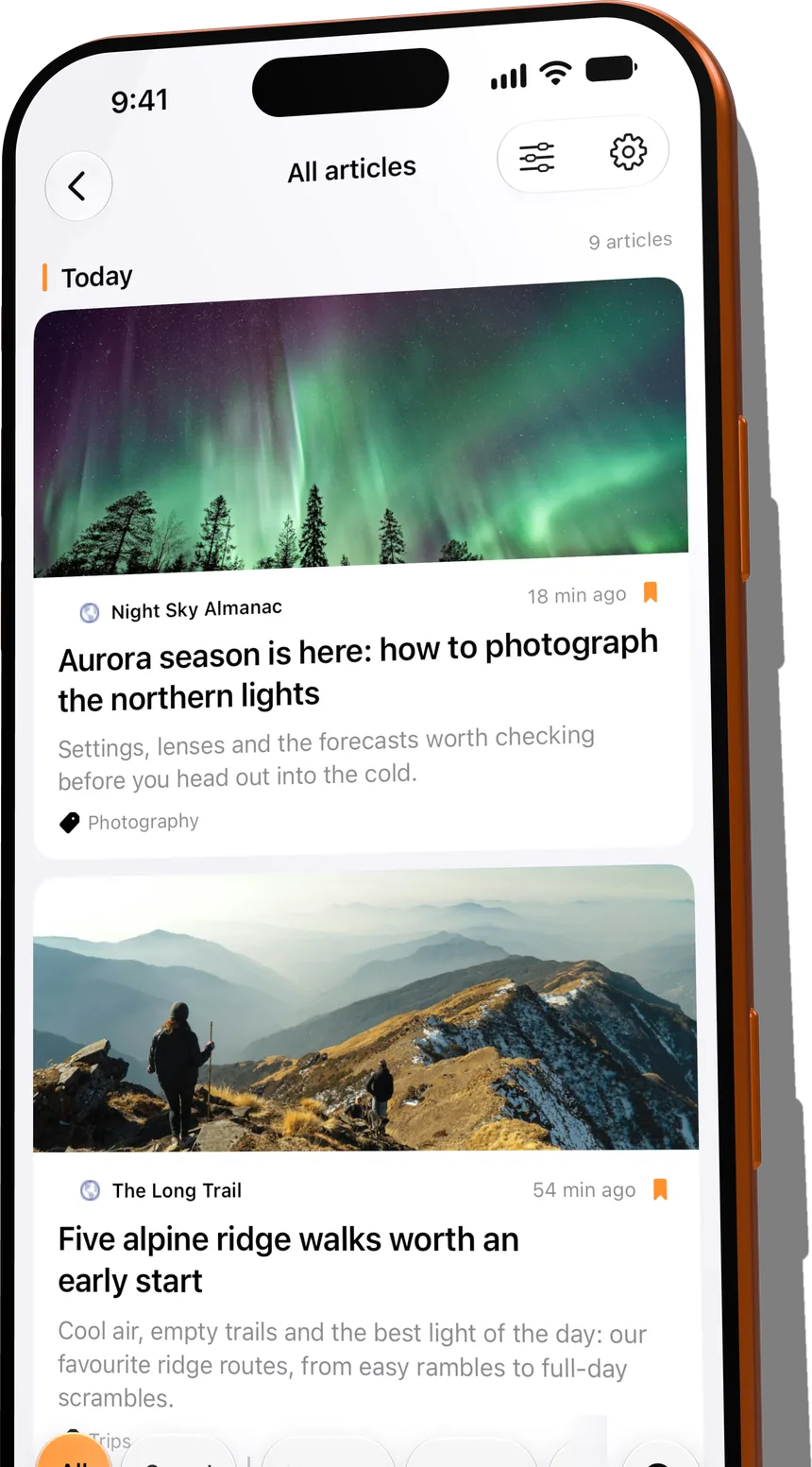
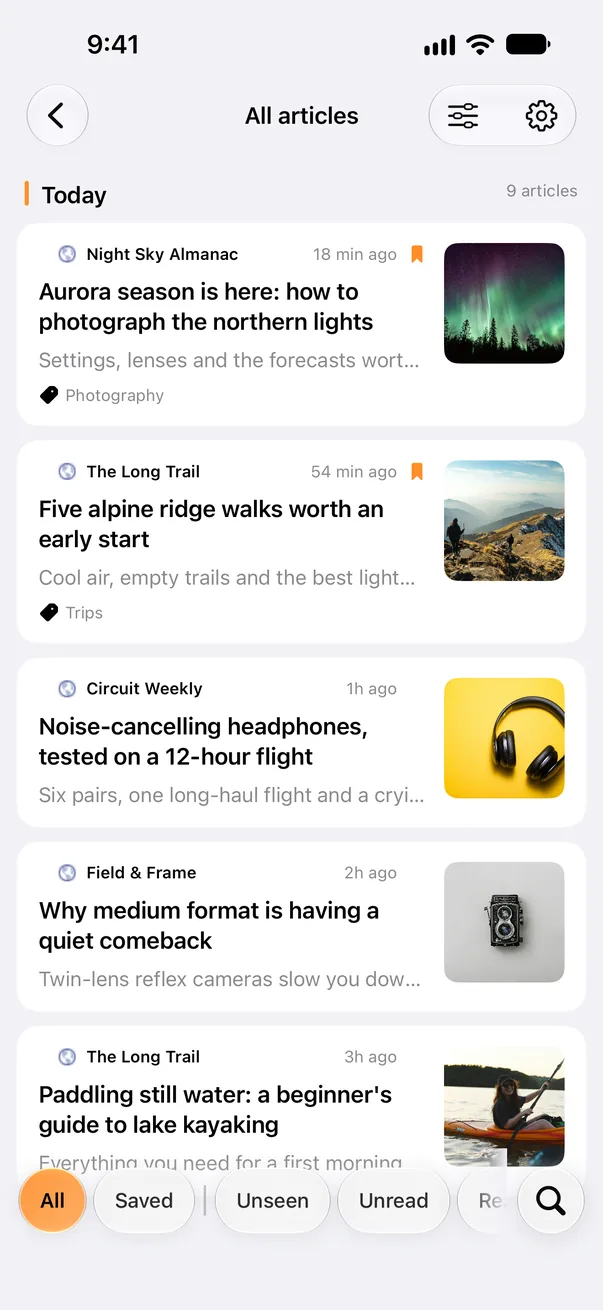
NewsFlash on iPhone showing all articles, including a guide to photographing the northern lights and five alpine ridge walks
Why NewsFlash

Three reasons to switch.

For people who want to follow the sites they choose, without an algorithm, ads or a sign-up.

01

Follow your own sources.

Paste a website’s address and NewsFlash finds its feed. Photography blogs, trail guides, tech reviews: everything you add arrives in one list, newest first. No algorithm decides what you see.

  • RSS, Atom and JSON Feed
  • Folders inside folders for your subscriptions
  • Bring your list from another reader with OPML
The NewsFlash article list in the Compact layout, with stories from four different sources
02

Filter out unwanted topics.

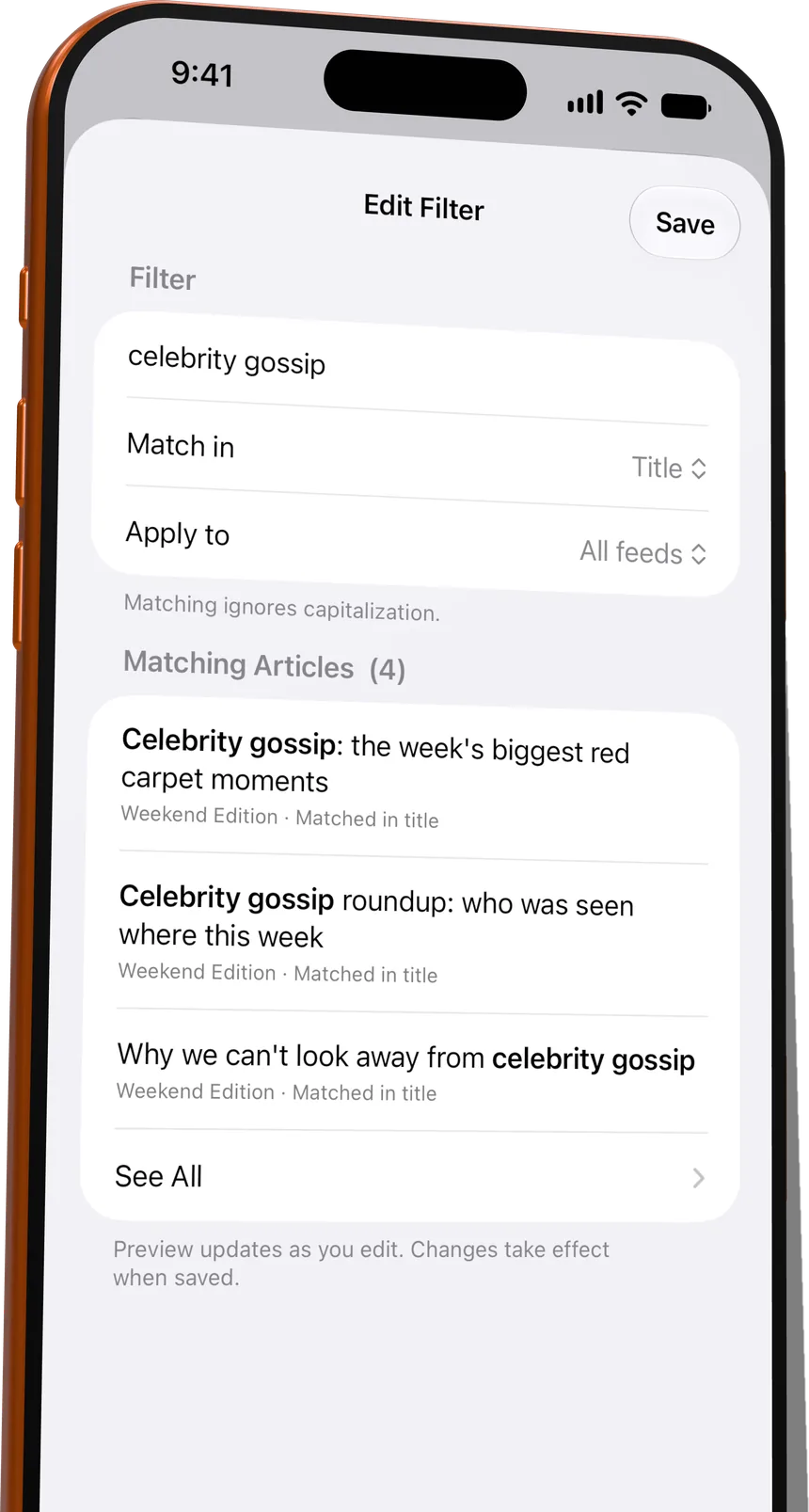
Tired of a topic? Write a rule and every matching story disappears from your feed. You see what it will hide before you save it, and the source stays subscribed.

  • Match titles, content or links
  • For every feed, or just one
  • Create a rule from any article
Editing a content filter for “celebrity gossip”, with a preview of the matching articles
03

Read on iPhone and iPad.

Your feeds, saved stories and what you’ve read sync through your own iCloud. Save a story on the train and read it on the sofa.

  • iCloud sync, with no account to create
  • A sidebar, multiple windows and keyboard shortcuts on iPad
  • Widgets for the Home Screen and Lock Screen
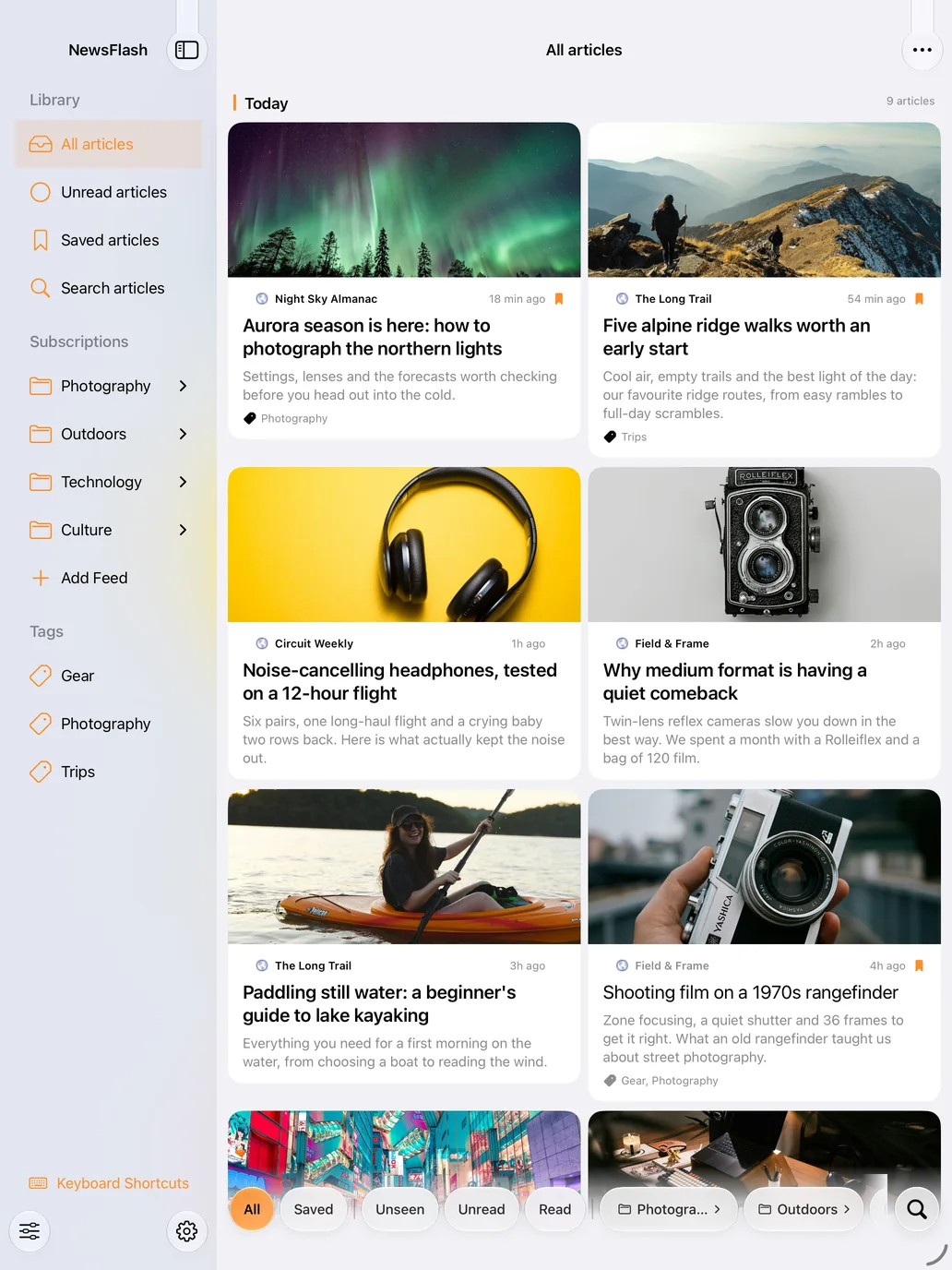
The NewsFlash library on iPad, with folders and tags in the sidebar
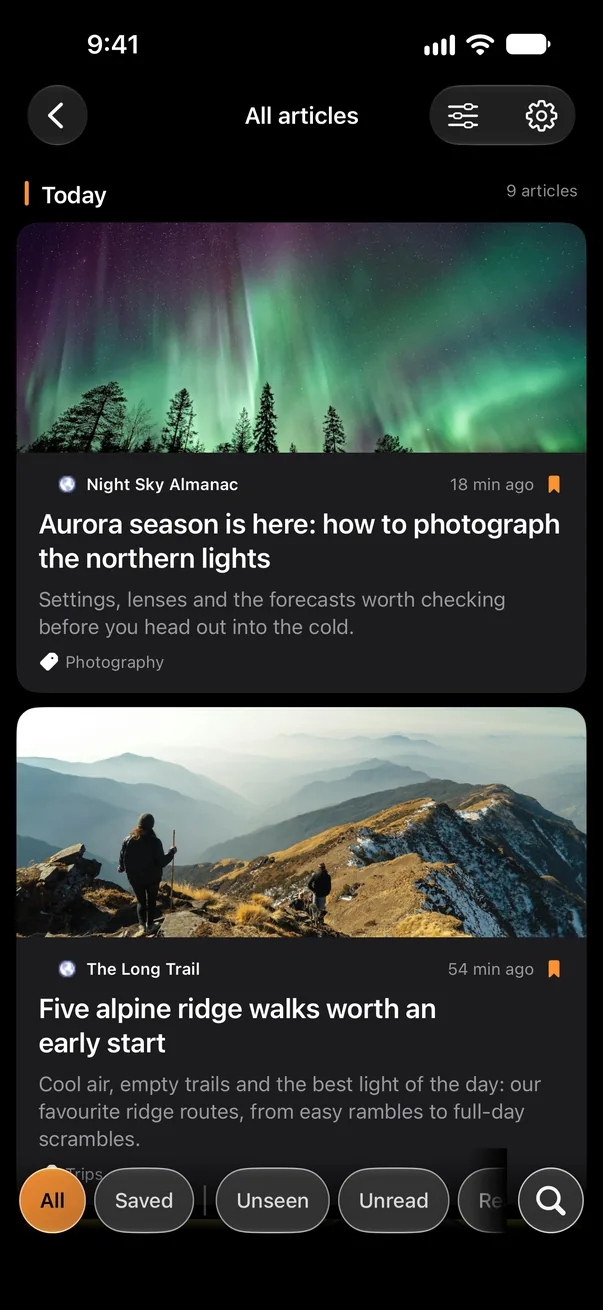
The same stories on iPhone in Dark Mode
Coming in 2.0

Your feed, outside the app.

Headlines on the Home Screen and Lock Screen, buttons in Control Center, and Shortcuts and Spotlight that know your library.

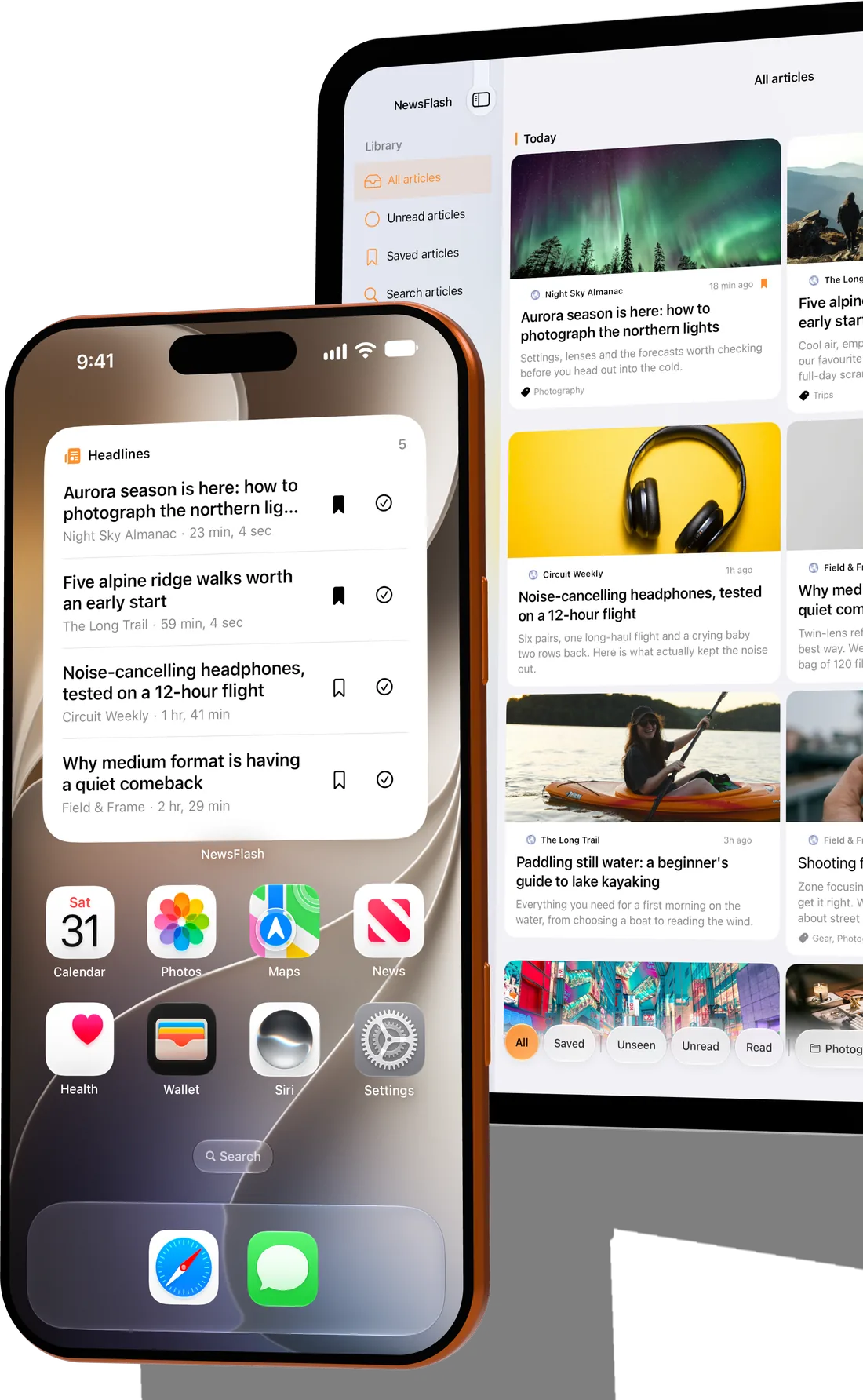
The NewsFlash Headlines widget on an iPhone Home Screen, with the iPad library behind it
  1. 01New widgetsHeadlines, Saved Articles and Unread Count for the Home Screen and Lock Screen, each set to a feed, folder or tag.
  2. 02Interactive widget actionsSave a story or mark it as read without opening the app.
  3. 03Control CenterUnread, Saved, Search and Add Feed, one tap away.
  4. 04Siri and ShortcutsFind articles, save links, subscribe to feeds and manage reading state.
  5. 05SpotlightArticles show up in system search, with a direct link back.
  6. 06Save from SafariShare any web page to NewsFlash and add tags as you save it.
  7. 07Smarter content filtersRules for every feed or just one, a preview of what matches, and quick creation from any article.
  8. 08UnseenA new view for the stories you haven’t scrolled past yet.
  9. 09In nine languagesEnglish, German, French, Italian, Spanish, Brazilian Portuguese, Japanese, Korean and Simplified Chinese, plus a better first run and layouts that hold up at large text sizes.
  10. 10A sturdier libraryMore reliable parsing, better duplicate prevention, clearer folder breadcrumbs, and reading state that’s kept.
Everything in NewsFlash

Small app. Lots of thought.

Every feature here is one you’ll actually use, built by one developer who reads with NewsFlash every day.

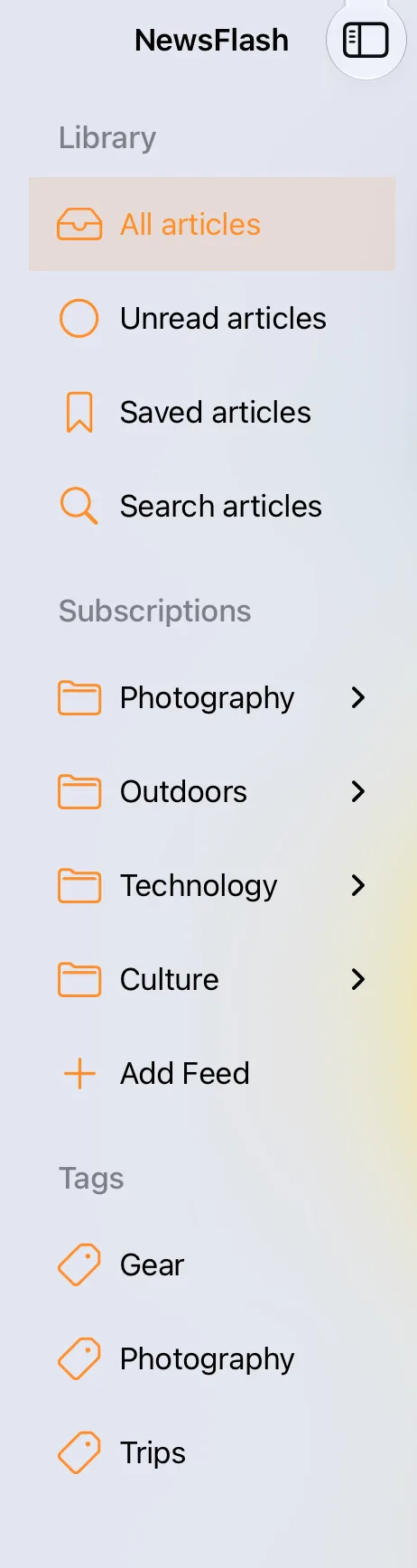
Library

Folders inside folders. One clear path back.

Group subscriptions however you think. The breadcrumb always shows where you are.

Photography Field & Frame
Content filters

Hide what you’re done with.

Match titles, content or links, in every feed or just one.

Filtercelebrity gossip
Match inTitle
Apply toWeekend Edition
Matching articles · 3 Celebrity gossip: the week's biggest red carpet moments Celebrity gossip roundup: who was seen where this week Why we can't look away from celebrity gossip
Widgets

Headlines, saved and unread at a glance.

Siri & Shortcuts

Put your reading into Shortcuts.

Save Link
Find articles Subscribe Mark as read
Spotlight

Search your phone, find your reading.

Layouts

Four ways to see a story.

Plus Safari Reader when a site supports it, set globally or per feed.

Nine languages
EnglishDeutschEspañolFrançaisItaliano日本語한국어Português (Brasil)简体中文
System controls

One tap from Control Center.

Unread Saved Search Add Feed
Tags

Sort what you save.

Photography Gear Trips
Shooting film on a 1970s rangefinderField & Frame · Photography, Gear
Search

Find it by anything you remember.

Title Source Tags
iCloud sync

Start on iPhone. Finish on iPad.

Push notifications

Your own services, in your feed.

Build ServerRelease 2.0 finished uploading now
How the push service works →
OPML

Bring your feeds. Take them anywhere.

subscriptions.opml Import · Export
Subscriptions
RSSAtomJSON Feed
Reading list

Save now. Read on Sunday.

Saved stories, plus Unread and Unseen to show what’s new.

Storage controls

Old articles can tidy themselves away.

Older articlesRemoved
Saved storiesKept
Get started

Your first feed in under a minute.

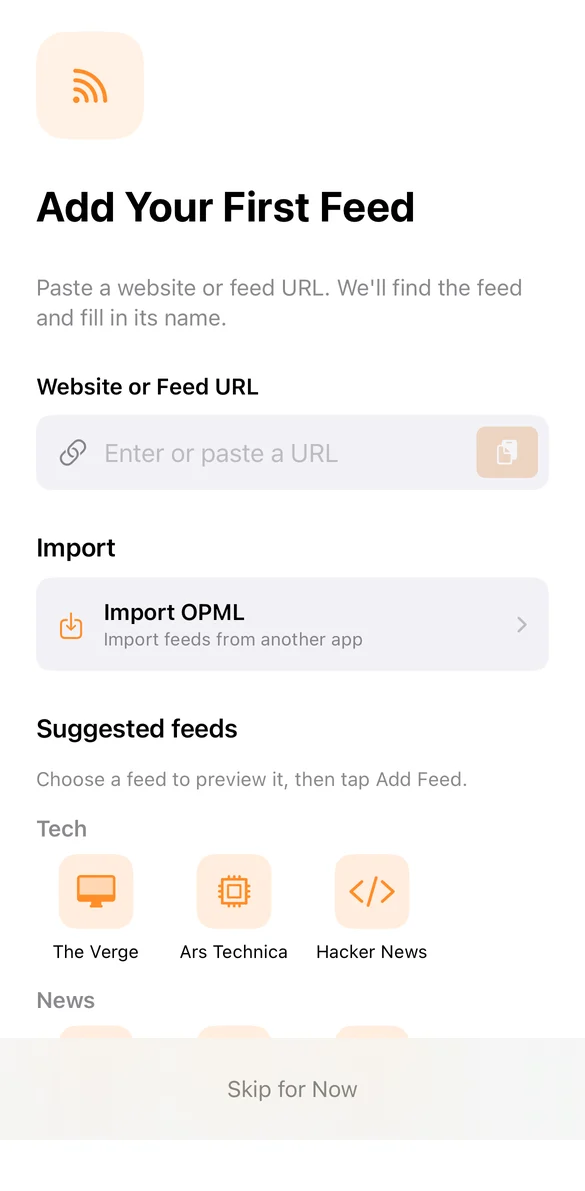
  1. 01Paste a website or feed URLNewsFlash finds the feed and fills in its name. Or pick from the suggested feeds.
  2. 02Or import OPMLBring your whole list over from another reader in one step.
  3. 03Add a widgetPick a feed, folder or tag and keep its headlines on your Home Screen.
Add Your First Feed screen with URL field, OPML import and suggested feeds
Pricing

Free. Everything included.

No subscription, no ads and nothing to unlock. If you’d like to support one independent developer, there’s a tip jar.

Price Free

Download NewsFlash from the App Store at no cost. Version 2.0 arrives as a free update.

Included Every feature

Widgets, content filters, iCloud sync and everything else on this page. No subscription, no ads, no in-app unlocks.

Tips Optional

Three tip sizes in Settings › Support the Developer. They unlock nothing; they help keep NewsFlash going. Prices show in your local currency.

Download on the App Store

Requires iOS or iPadOS 18.6 or later. No account needed.

Questions

Before you switch.

I’m coming from another reader. Can I bring my feeds?

Yes. Export an OPML file from your current reader and import it into NewsFlash. You can export your list back out the same way.

What does NewsFlash cost?

Nothing. NewsFlash is free to download and every feature is included: no subscription, no ads, no in-app unlocks. Optional tips in Settings support development and unlock nothing.

Which feed formats work?

RSS, Atom and JSON Feed. Paste a site’s address and NewsFlash looks for the feed for you.

Do I need an account?

No. Your library syncs between devices through your own iCloud.

Does it work on iPad, and in my language?

Yes, on iPhone and iPad with iOS or iPadOS 18.6 or later. Version 2.0 speaks English, German, French, Italian, Spanish, Brazilian Portuguese, Japanese, Korean and Simplified Chinese.

Does a content filter unsubscribe me?

No. It only hides matching articles, which stay available inside the filter. Your subscriptions don’t change, and deleting the rule brings everything back.

Support

A feed won’t load? Ask Michael.

NewsFlash is made by one independent developer. Send the feed’s address, what you expected to see, your app version and your device, and you’ll hear back from the person who wrote the code.

feedback@mich312.com
The NewsFlash lightning-bolt mascot giving a thumbs up